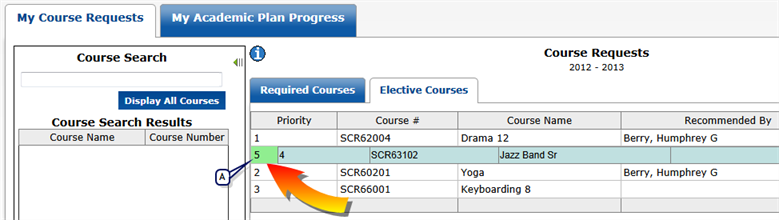
To change the priority of your current course requests, select a course request and drag it to the appropriate position in the grid, with 1 being the highest priority.
The scheduling system will attempt to schedule your highest priority courses first.
Figure 14: Drag-and-drop to change a priority
| A | Drag the course up or down to change its priority. Here, the priority 4 course is dragged to the number 2 position (the number will change to number 2 after the drag-and-drop is completed). |
Pearson
Always Learning
www.pearsonschoolsystems.com