Review Activities
Before you take the final quiz, practice what you've learned in the course using these Try it! activities.
Try it! Create a New Category
Objective:
Create a new assignment category to use when you observe and grade your students’ performance on a group lab experiment.


- Add a new category.
- Name the category Teamwork.
- Enter TW as the category abbreviation.
- Color-code this category black.
- Record that students can earn a possible 20 points on assignments in this category.
- Enter Lab Teamwork Performance as the description of the category.
- Add the category.
- You did it! You created a new assignment category.
Try it! Create an Assignment
Objective:
Create a surprise assignment to observe your students' performance on a lab experiment and delay its publication.
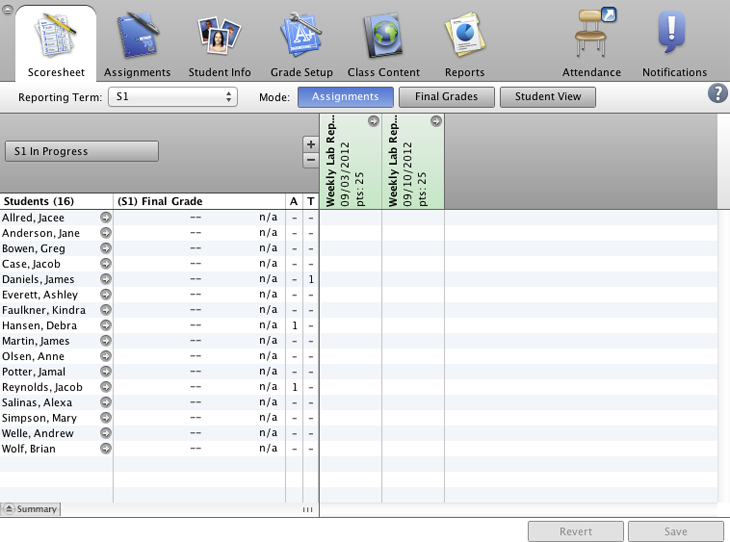
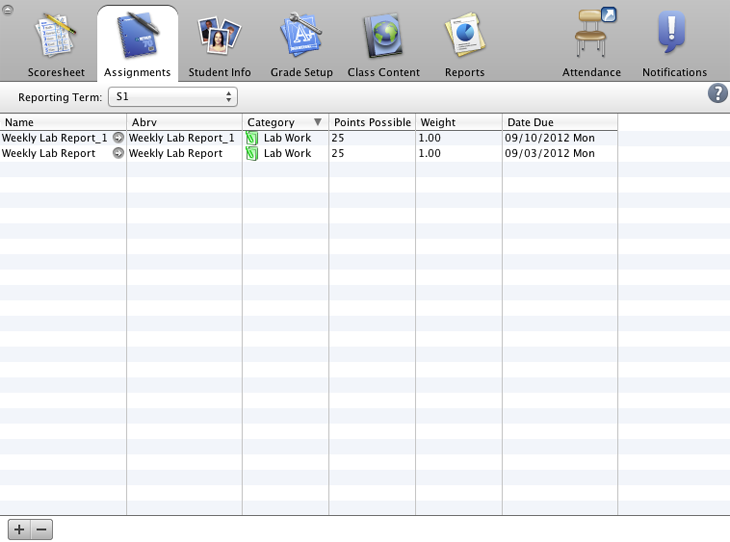
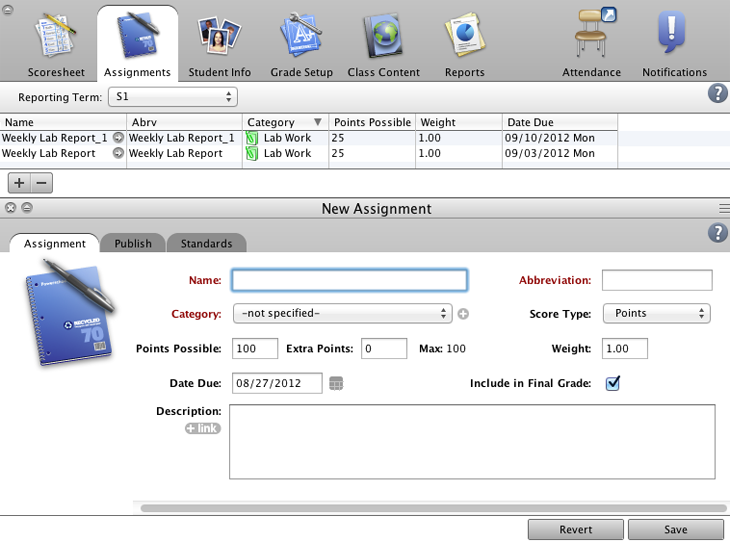
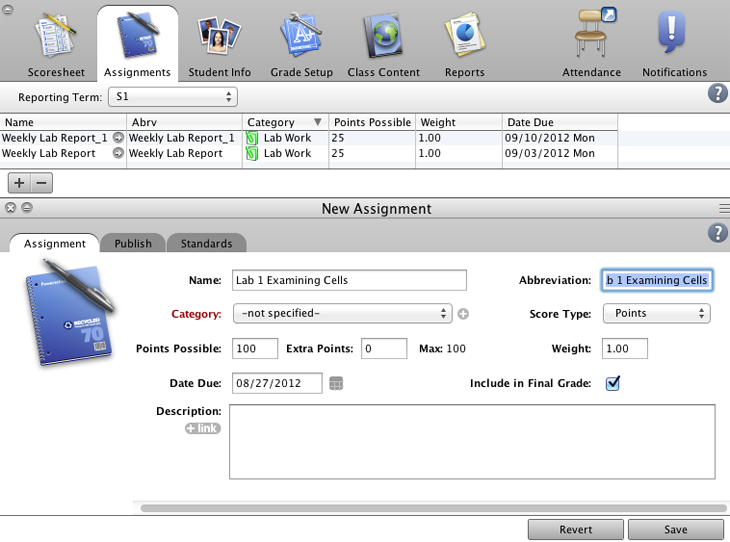
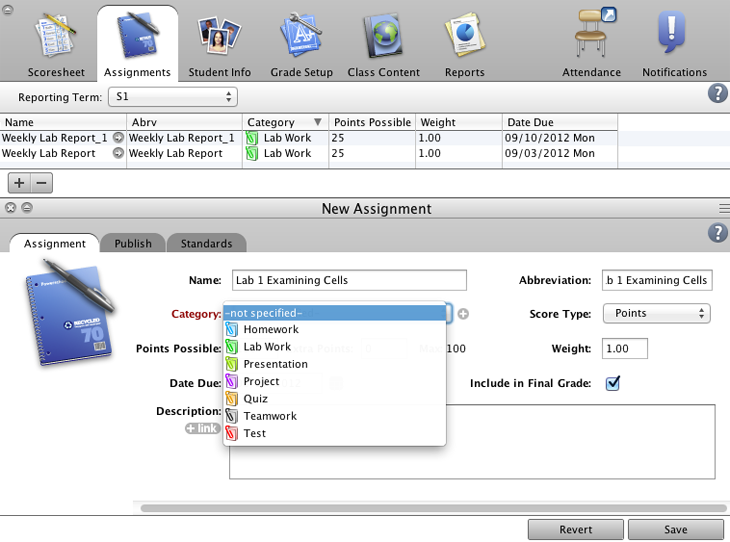
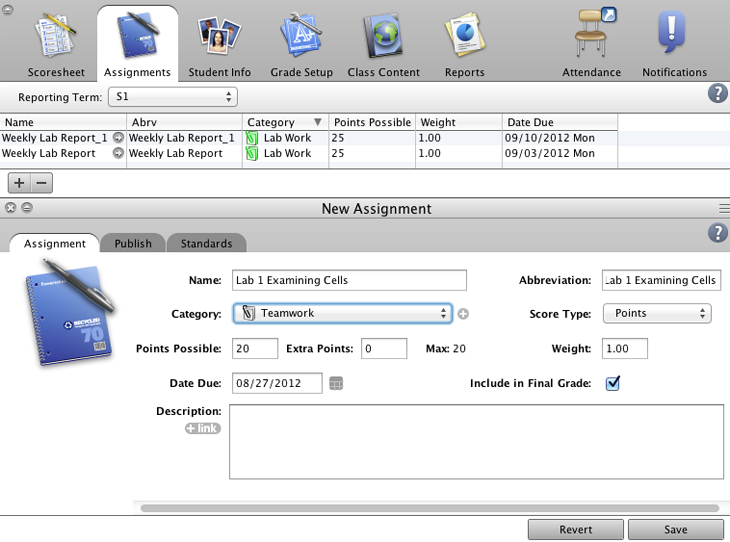
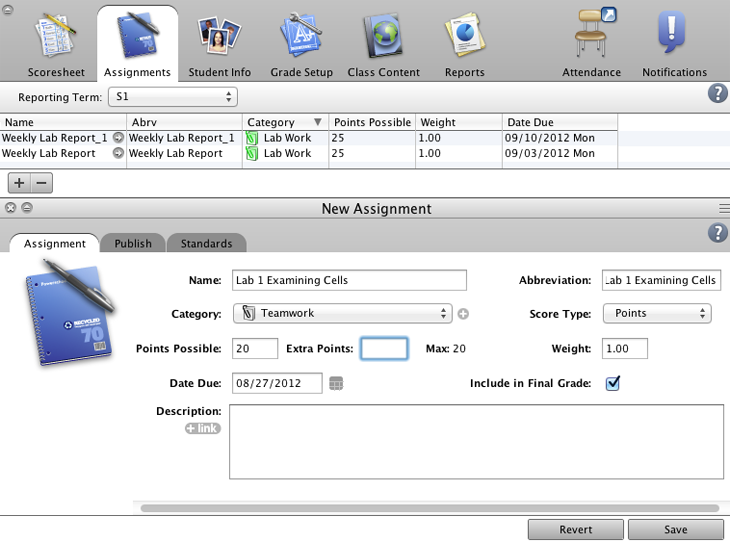
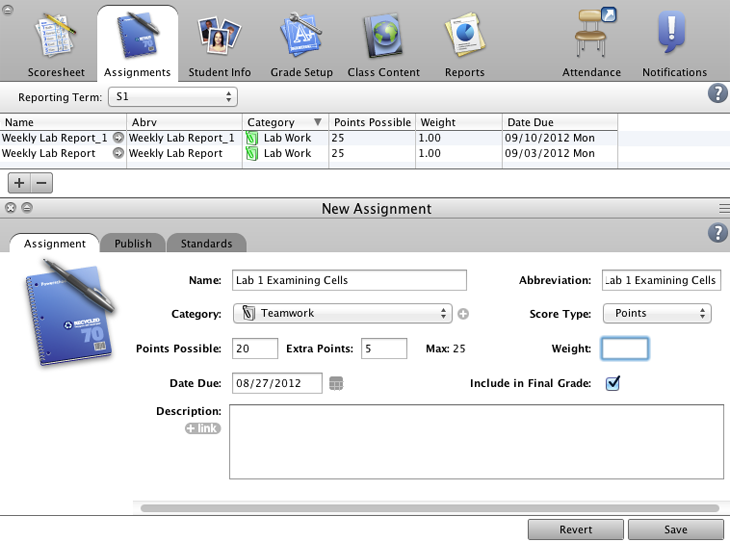
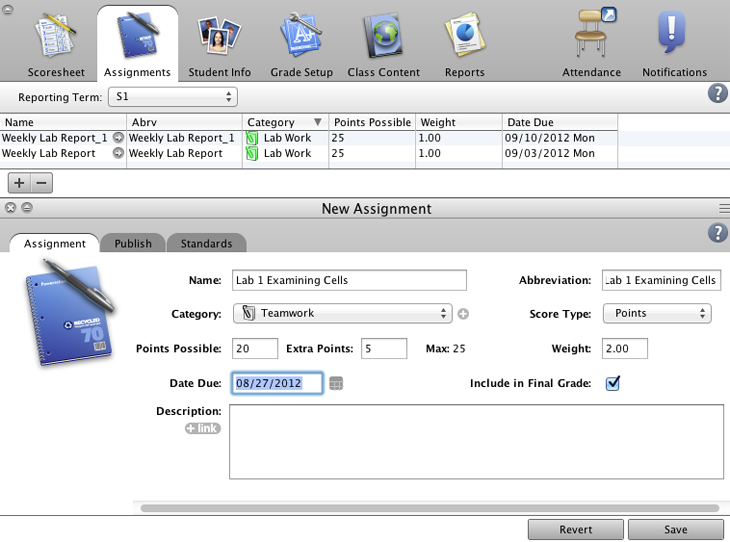
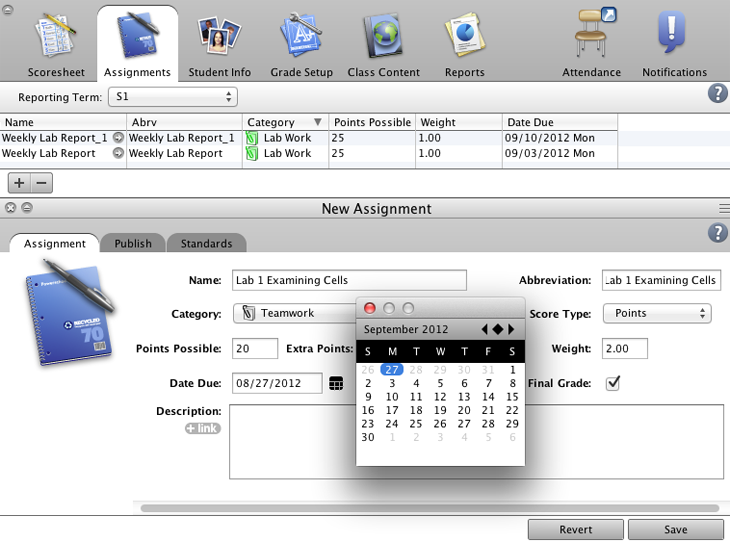
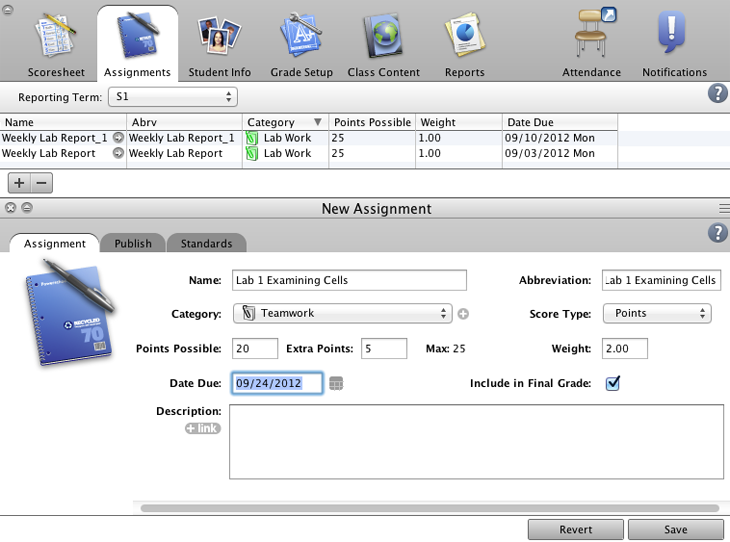
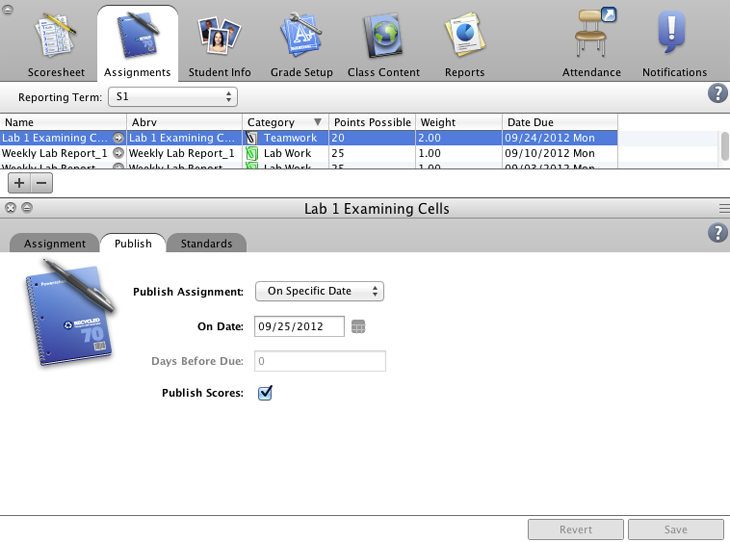
- Navigate to the Assignments tab.
- Add a new assignment.
- Enter Lab 1 Examining Cells as the assignment name.
- Categorize this assignment as teamwork.
- Add 5 extra credit points to the assignment for students who demonstrate extra effort.
- Weight this assignment so that the point value is calculated as twice the points possible when determining students’ final grades.
- Choose 09/24/2012 as the due date.
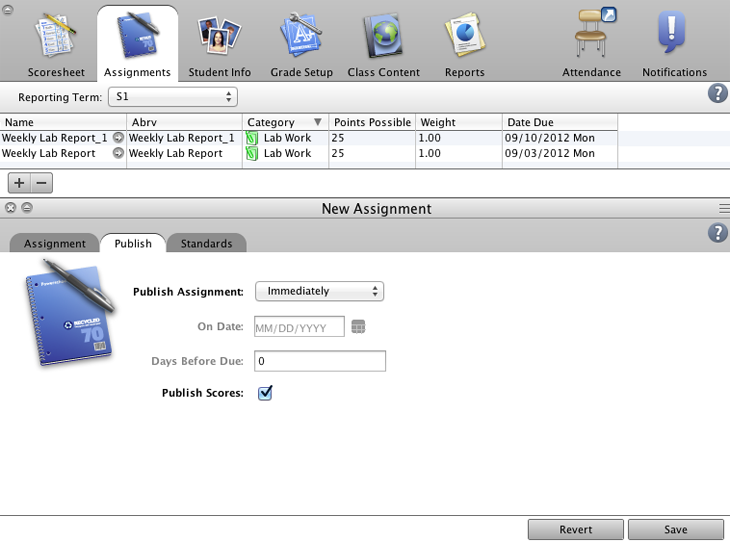
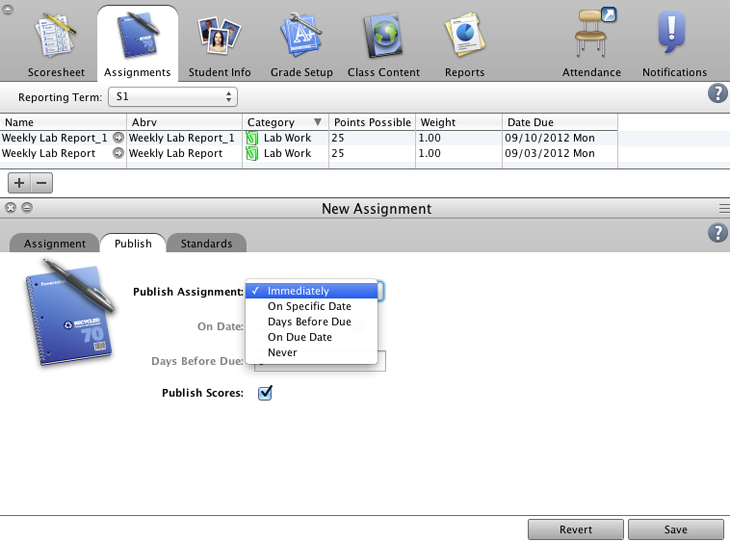
- Navigate to the Publish pane.
- Open the Publish Assignment menu.
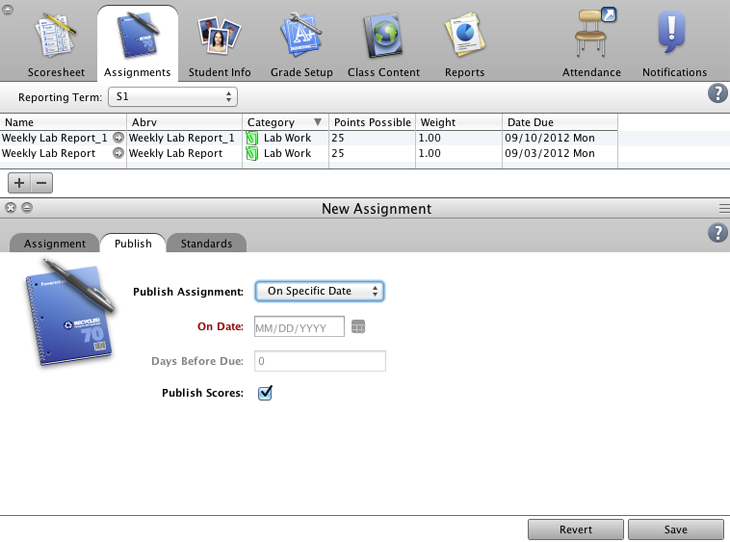
- Publish the assignment on a specific date.
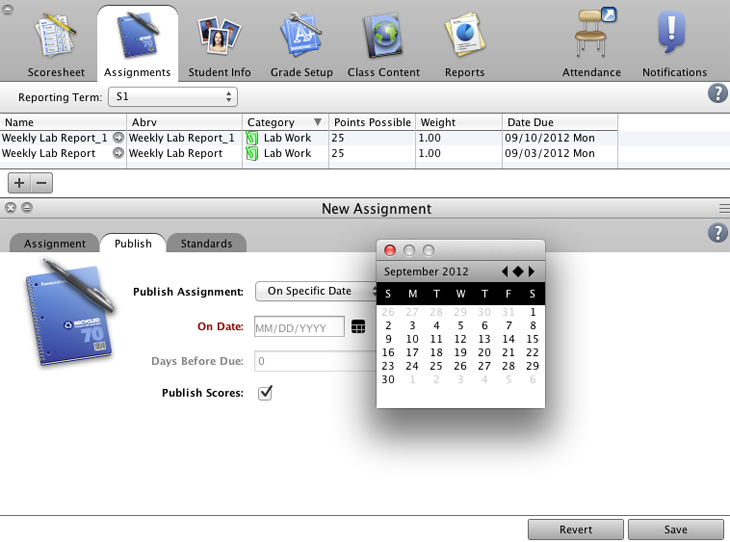
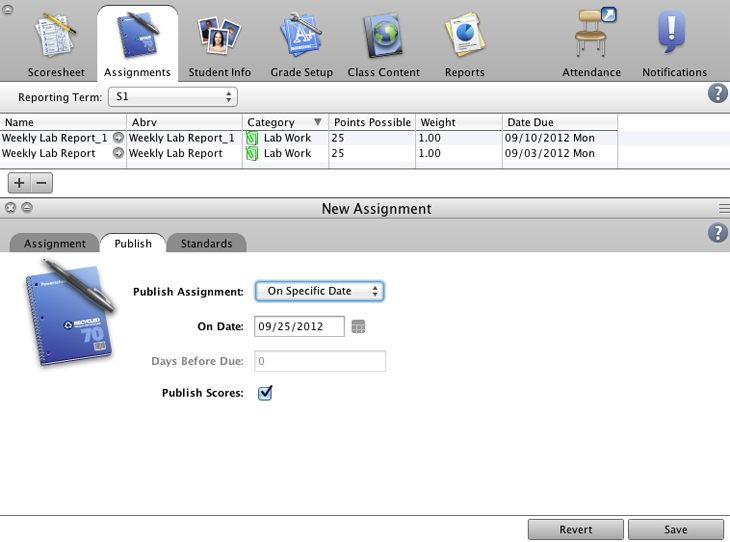
- Select the 25th of September as the date the assignment will be published.
- Save the new assignment.
- Job well done! You’ve created an assignment that will be published on a specific date.
Try it! Copy an Assignment
Objective:
Copy the “Lab 1 Examining Cells” assignment from your AP Biology class to your other Biology classes.
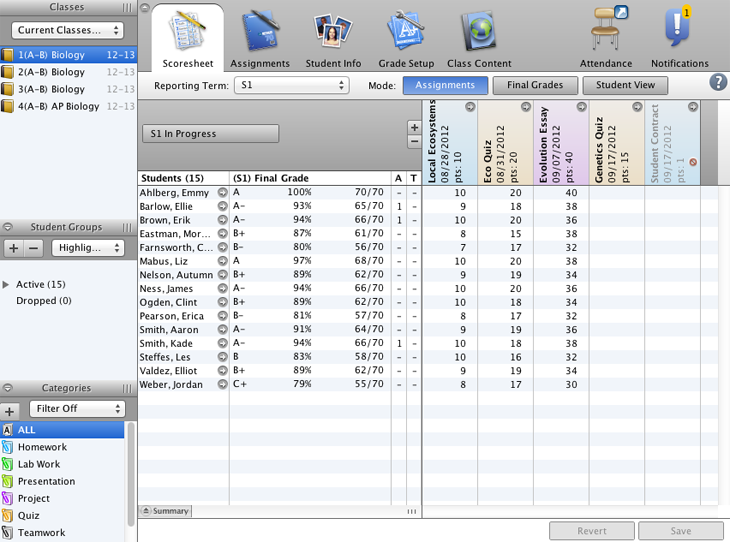
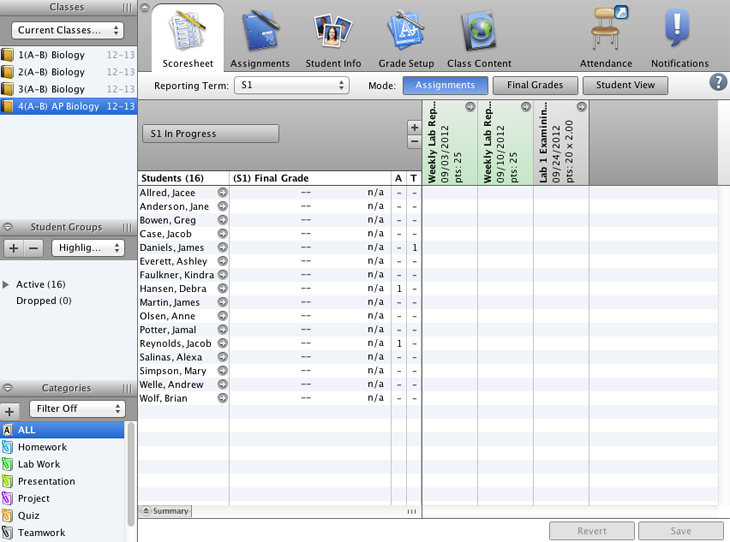
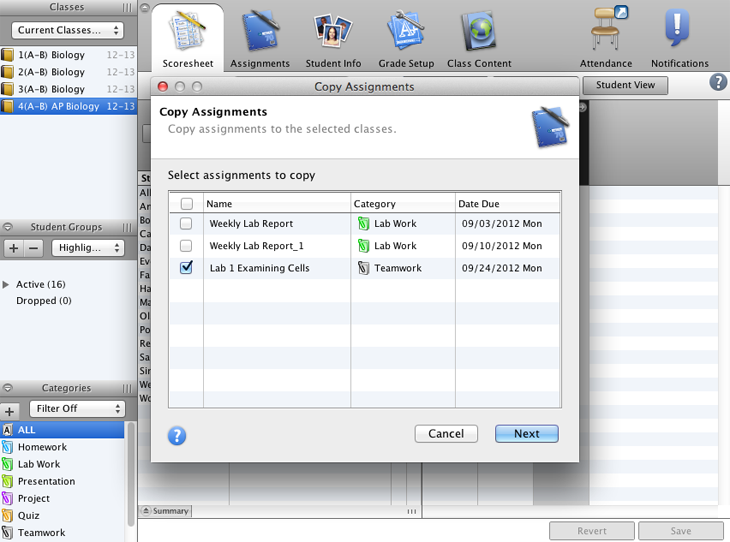
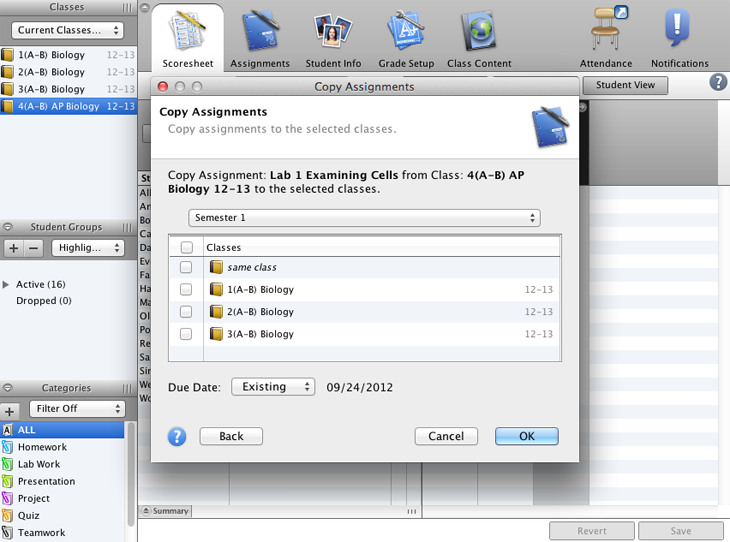
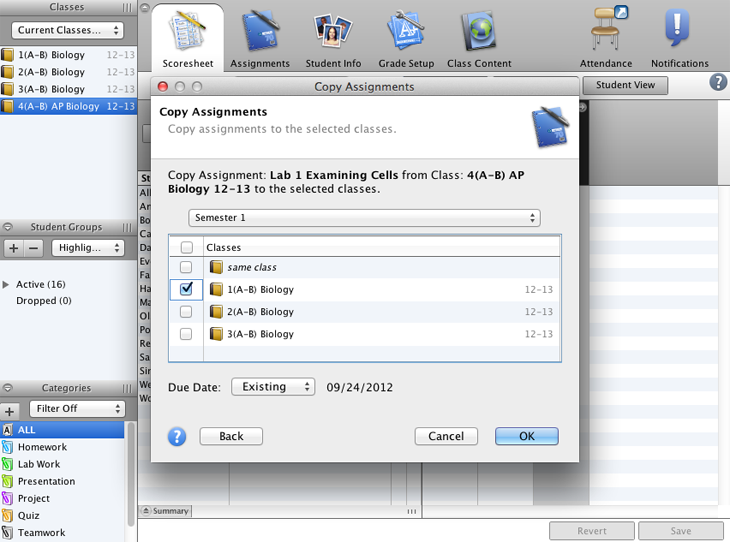
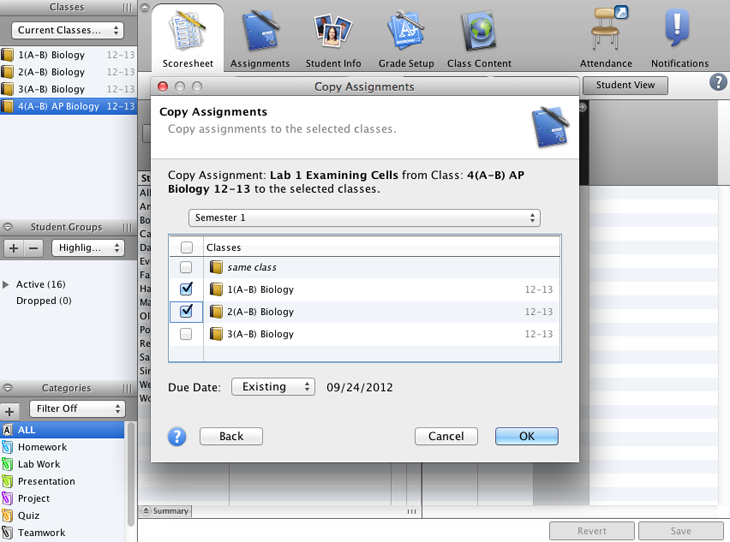
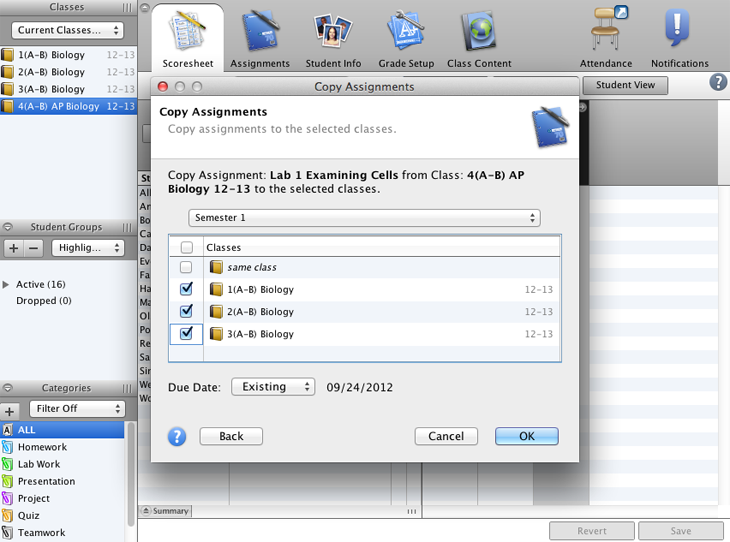
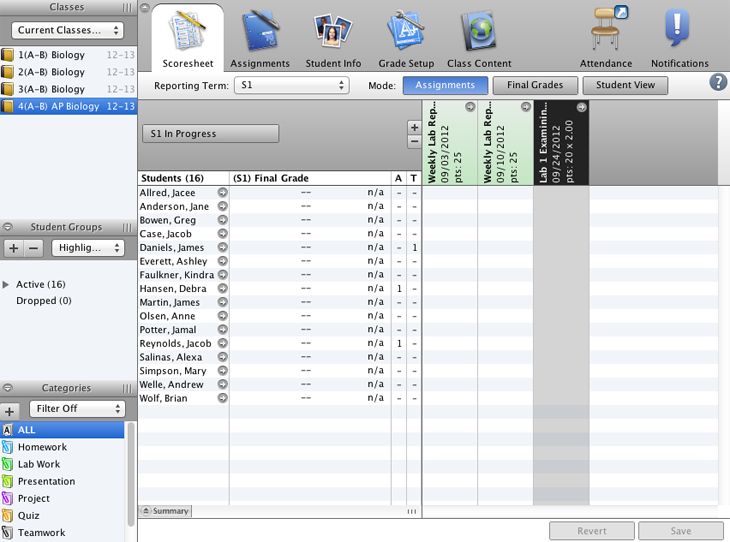
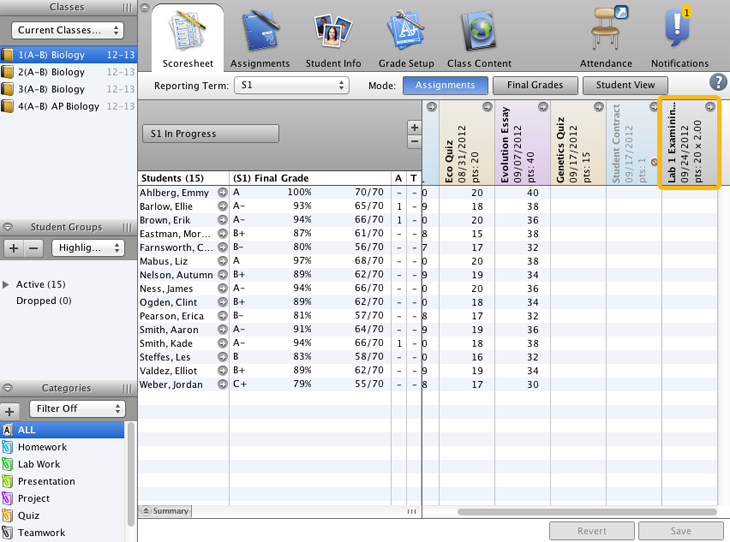
- Select your AP Biology class.
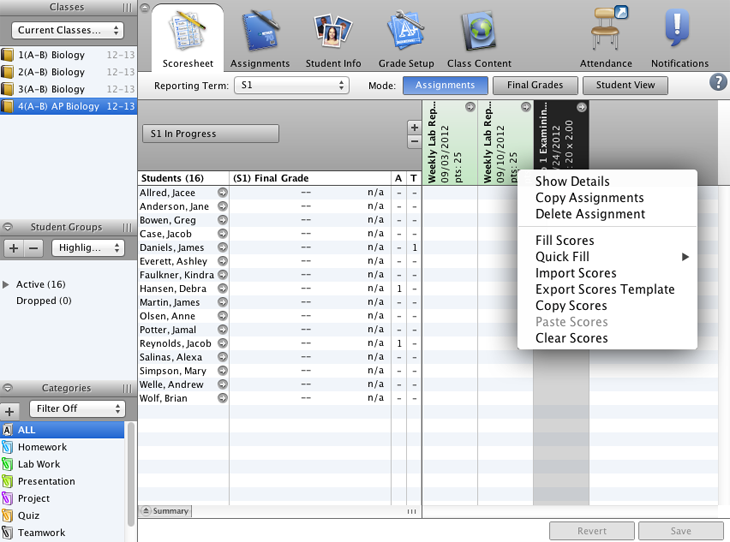
- Select the assignment. In the application, you would right-click the assignment, but in this Try it! exercise, click the assignment heading.
- Copy the assignment.
- Make sure “Lab 1 Examining Cells” is checked and proceed with copying the assignment.
- Copy the assignment to your first period biology class.
- Copy the assignment to your second period biology class.
- Copy the assignment to your third period biology class.
- Copy the assignment.
- Verify that the assignment was copied to your first period class.
- Excellent! You copied an assignment from one of your classes to the others.
Try it! Enter Scores
Objective:
Enter scores for the “Lab 1 Examining Cells” assignment for your third period Biology class.


- Select your third period biology class.
- Enter a score of 22 for Justin Andrews.
- Enter a score of 20 for Chantel Earl.
- Enter a score of 25 for Nikita Hart.
- Enter a score of 15 for Brett Murray.
- Save the scores.
- Good job! You entered students’ scores.
Try it! Edit an Assignment
Objective:
Edit the “Lab 1 Examining Cells” assignment to change the points possible.
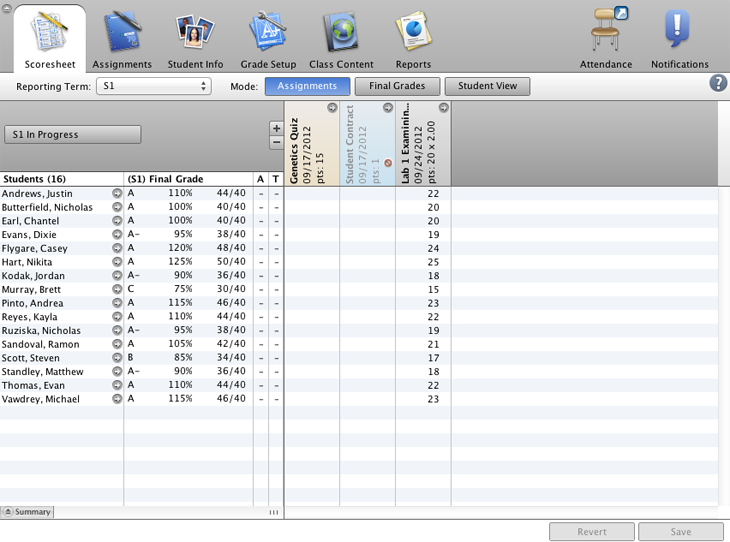
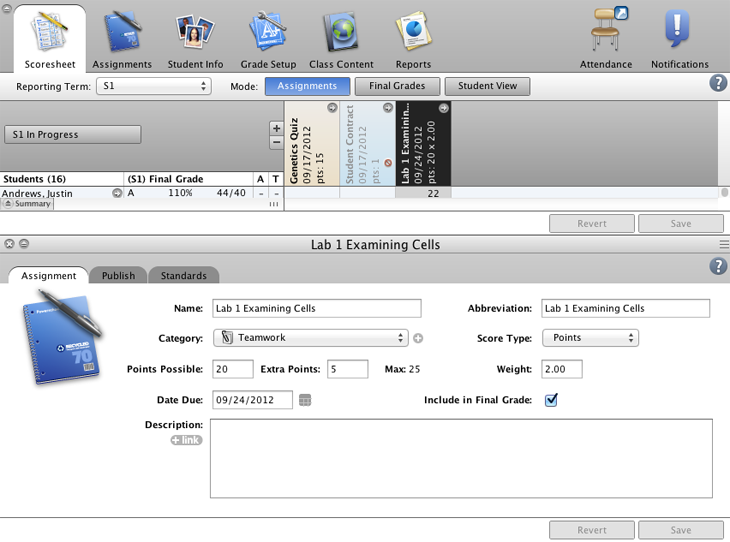
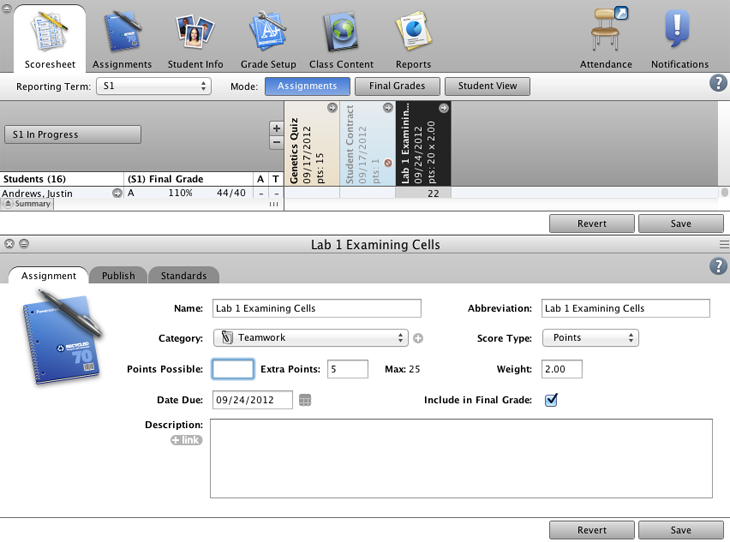
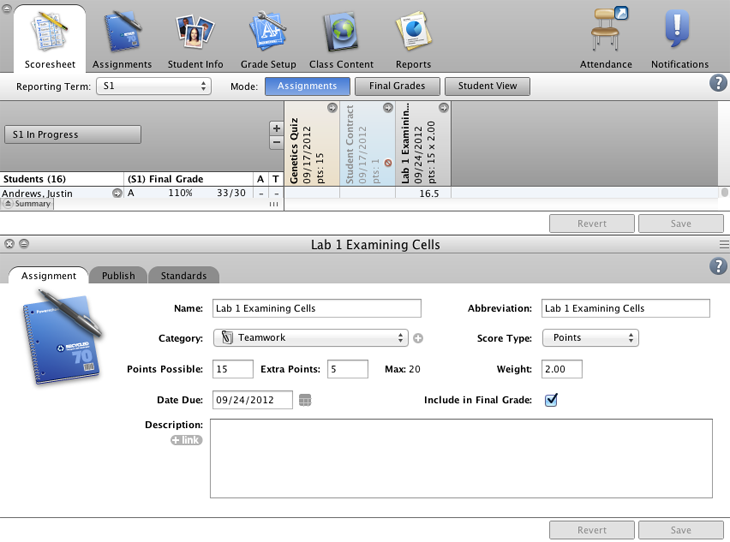
- Open the Lab 1 Examining Cells assignment details.
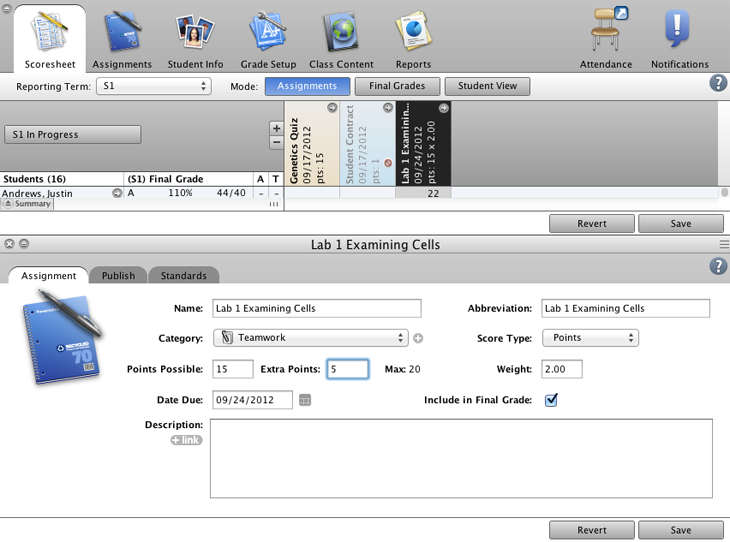
- Change the points possible from 20 to 15.
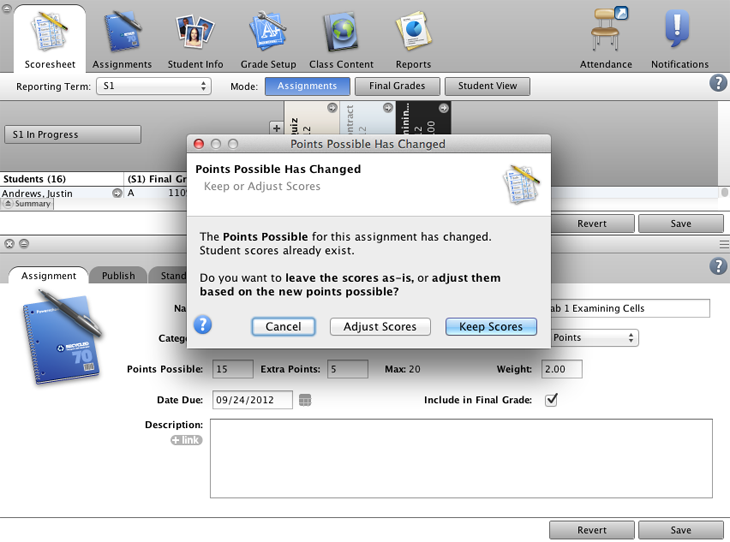
- Save the changes.
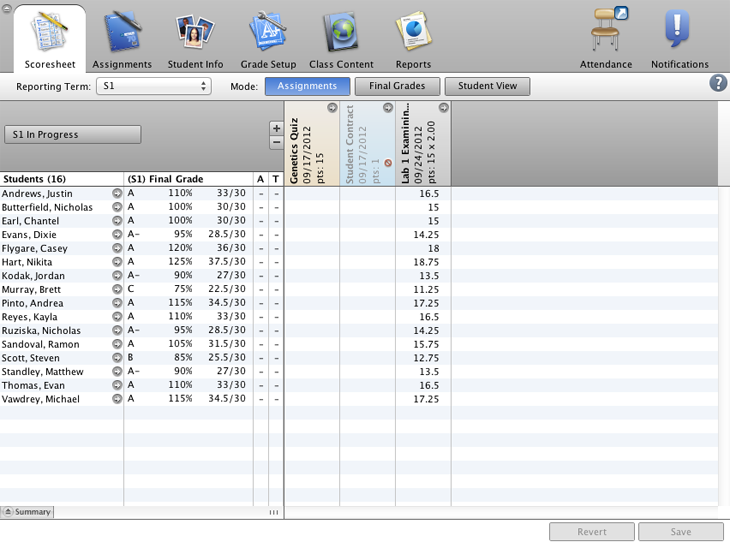
- Adjust the scores you’ve already entered for the assignment.
- Close the assignment pane to view the adjusted scores.
- Good job! You edited an assignment that had been scored already.